extract-positives: a handy tool for pulling detections from recordings
Update: October 19, 2026
Two noteworthy changes since I wrote this:
SeeNote is now capable of filtering for false positives in your audio data. I haven’t written up a demo of this, but it’s in the help menu of the application. I also recently posted about a slightly different workflow for investigating buzzdetect results using SeeNote. It doesn’t have as much control as extract-positives (not able to pull positives per-file or filter for time of day), but it’s more pleasant to interact with.
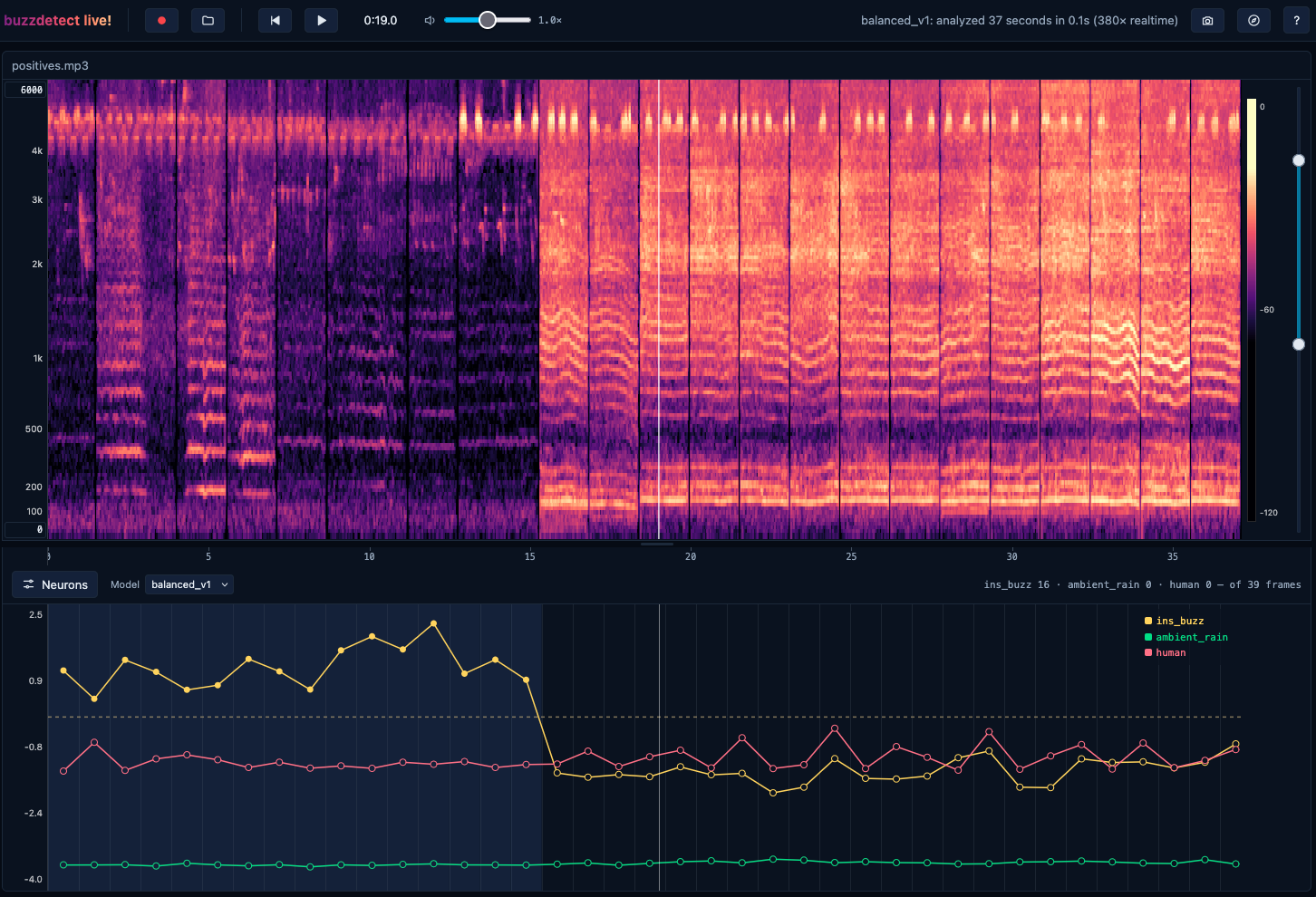
The new model family shipped with buzzdetect v2.0 doesn’t struggle with this source of false positives. I added them to buzzdetect live!, so you can see for yourself!
TL;DR
extract-positives is a python utility that you can use to extract the source audio corresponding to positive frames in buzzdetect results. Extract a whole dir, filter by time, add additional context on either side of the frames, and more!
When we run buzzdetect analyses on large datasets, we usually wrangle the results with buzzr and do some sanity checks, but we let buzzdetect do the listening and don’t check the raw audio ourselves. Occasionally, we want to take a closer listen. Sometimes this is because we want to get a clue as to which insects are making the buzzes. Other times, it’s because we’re suspicious of the results. For example, in developing a new model (not the currently deployed model_general_v3) for improved bumble bee detection, I was noticing extraordinary spikes in buzz detections right at 6:00 PM in every single audio file from a deployment. This was, let’s say, entomologically implausible. My erstwhile method for investigating an issue like this was to open the problematic files one at a time, seek to the approximately correct position, listen for a while, and write down my notes on a scratch pad. That was so 2025. To make my life a little easier, I built the extract-positives utility.
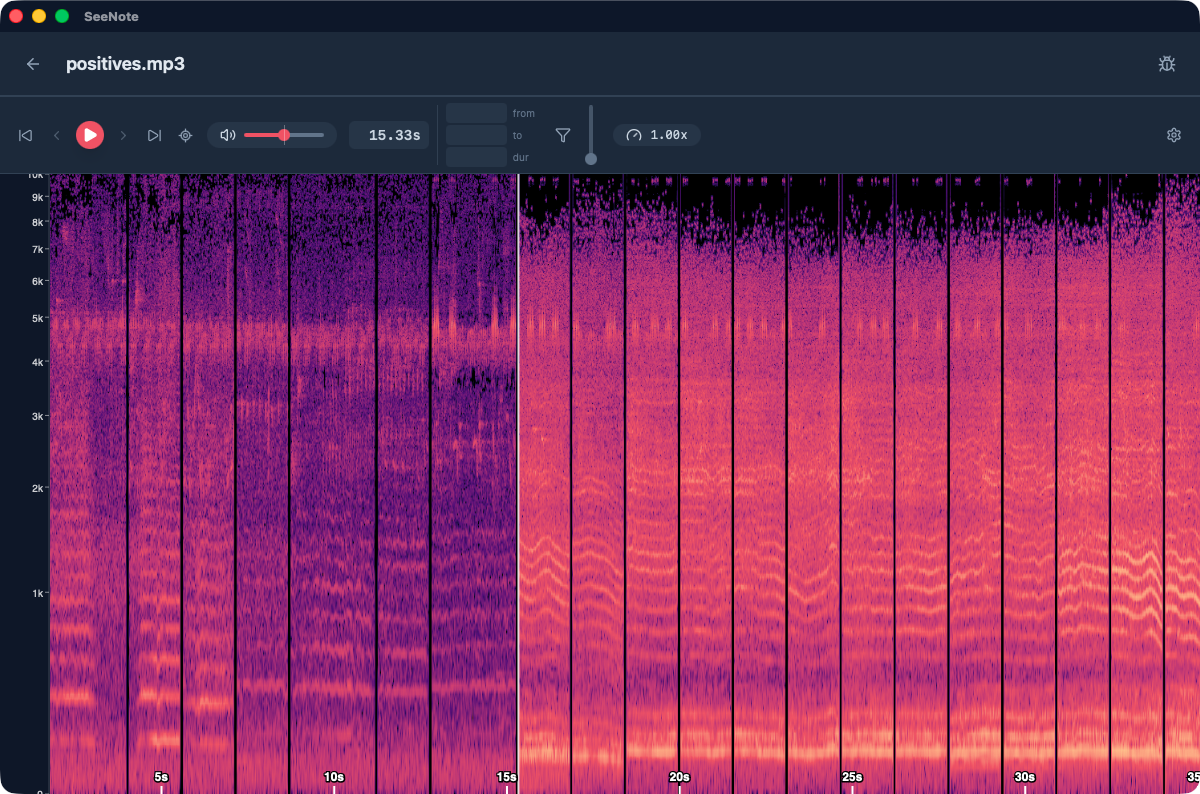
Here’s the raw output audio
A demo: five-flowers
Let’s use the Five Flowers results and audio for a little demo. I’m going to put the audio next to the snip_results and rename to snip_audio, but it doesn’t really matter where the folders are.
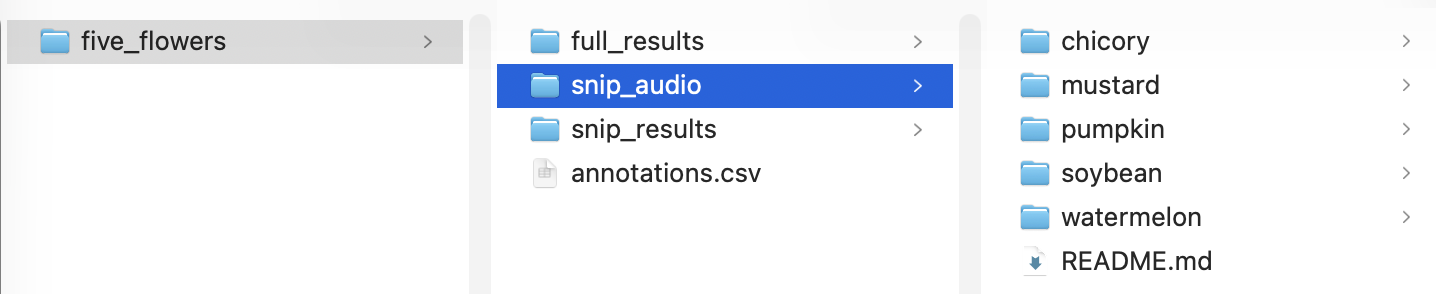
Now let’s launch the current version of extract-positives at the time of writing:
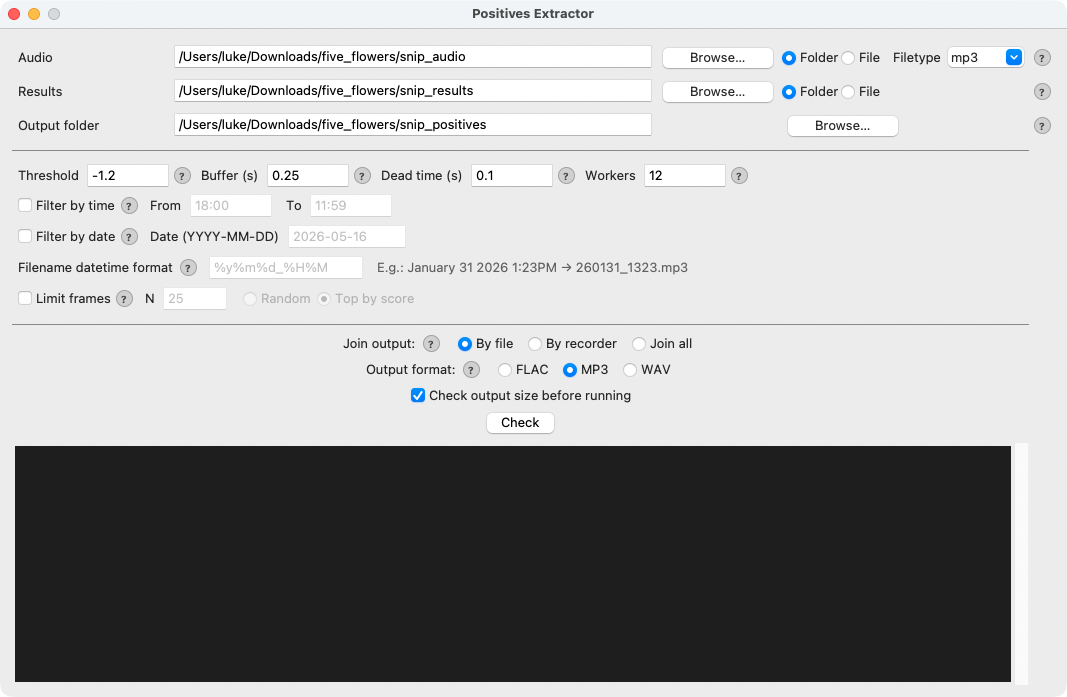
Okay, it’s ugly as sin but it does run. Some notes:
Ensure Audio is set to Folder and point it at your audio dir
Ensure Results is set to Folder and point it at your results dir
Set Join output to “By recorder” and point your output folder wherever you like.
“By file” means that one input file produces one output file of extracted positives.
“By recorder” means that each input recorder (in our file storage schema, the dir one level up from the recordings is always named with the ID of the recorder that made the recordings)
“Join all” concatenates all frames into one big file
For this run, we won’t do anything with time. Leave the time filter columns blank.
I like outputting to MP3 since lossy compression isn’t a big concern for spot-checking results and the files can become quite large.
Set your threshold to -1.2, since this is our 95% precise threshold for model_general_v3
Full-length audio files could carry thousands of positive frames, so it’s best to leave that “Check output size” box checked.
Hit the check button and the tool will count the number of detections and estimate the output size:
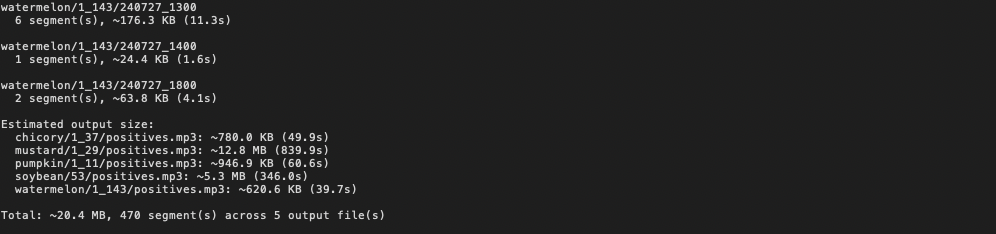
Once you hit run, the files will be written to your chosen dir. Let’s check out

Opening the file in SeeNote gives:
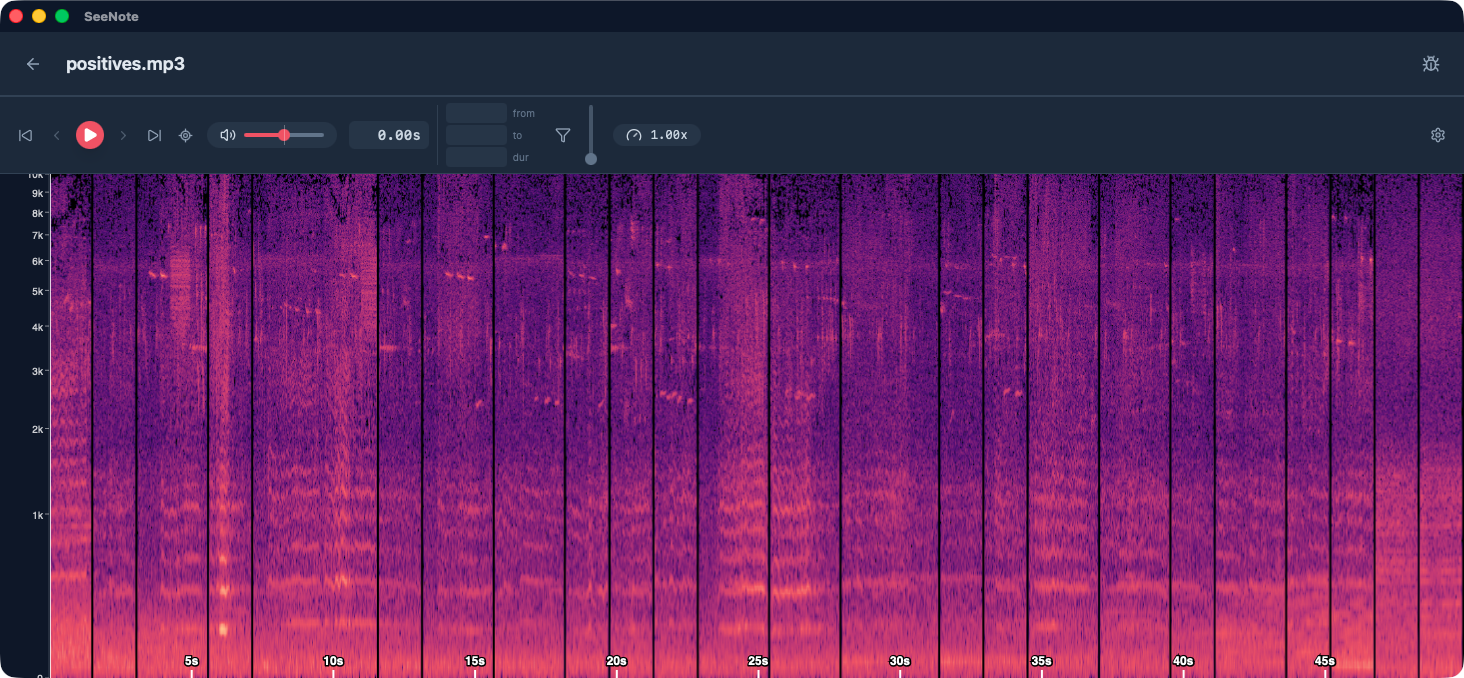
Nice! Couldn’t be easier. Some notes:
The black bars are from that dead time setting, which lets us differentiate frames
Wider segments are from contiguous positive frames; the tool merges them together, because otherwise the buffer time on either side would cause extracted frames to overlap and repeat
Happy listening!
Coda: what’s the value of sharing, anymore?
The world really doesn’t need the musings of another data scientist on how AI is changing the landscape. But I haven’t done so on this blog yet, and my software development is increasingly vibey. Here’s a thought that comes up with a python utility like this one: is it even useful to share tools like this? Simple projects like this - where I’m just connecting together bits and bobs from existing libraries - used to take a decent amount of effort, maybe a day of work for a working tool, maybe more. I’d be happy any time I ran across someone else’s work that could save me a day of work. But increasingly, I don’t even look online for solutions to problems like this. Maybe somebody else already wrote a utility very much like this one - I wouldn’t know! I just had Claude one shot it for me while I made a latte. I follow a number of blogs, and some of these bloggers (not necessarily listed on my blogroll) share vibe coded tools like this quite frequently. I’ve never used any of them. Maybe because they just don’t happen to be relevant, but also because reading about a vibe coded piece of software takes just about as much time as building it. Are we entering into a new culture of personal software, where my software is so personal I’m not interested in hearing about yours? Someone said that telling other people about your conversation with AI is like telling them about your dreams: I’m sure it was very exciting for you but it’s just not going to translate to me. Maybe the same is true for little apps like this one.
I don’t know, man, I’m just trying to stay afloat.